Free tool for contractors
Close out every job
with proof.
Track punch list items, document before and after photos, and export a clean record — all from your phone, without a clipboard, a spreadsheet, or a shared app login.
Get PunchList Solo Lite — Free
Sound familiar?
The punch list problems that cost you time and money
Items fall through the cracks
Paper lists get lost. Texts get buried. Something always gets missed on the final walkthrough.
No proof of completion
Client says the item wasn’t fixed. You know it was. You have no photo, no timestamp, no record.
Callbacks eat your margin
One undocumented punch item turns into a callback, a dispute, or a warranty claim you can’t defend.
No clean handoff
GC wants a punch list record. You’re scrambling to put something together from memory and camera roll photos.
What it does
Every item. Documented. Closed out.
Built for the final walkthrough
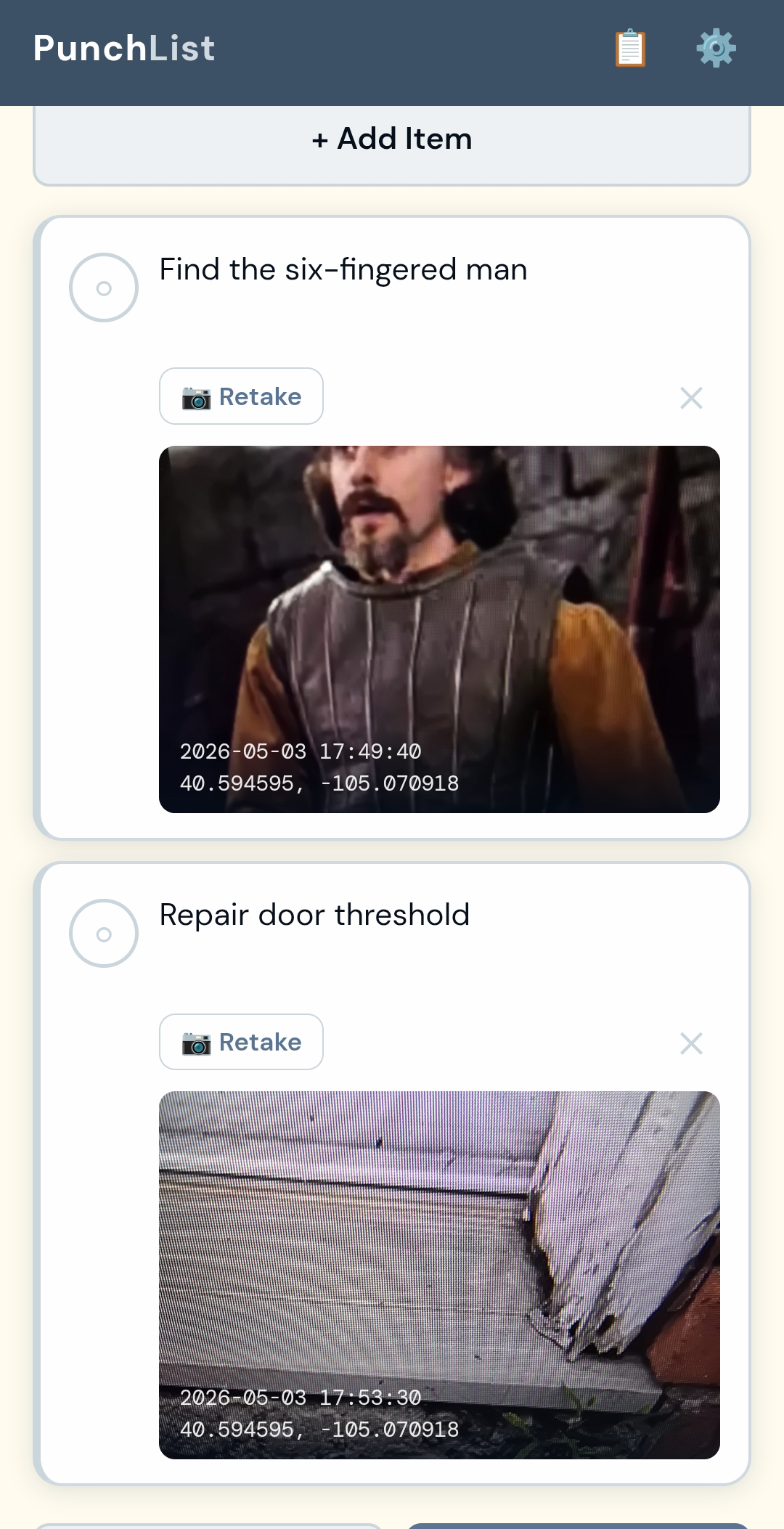
Open the app, load your job, and start adding items as you walk the site. Each one gets a description, location, priority, and the person responsible. Two open items, two done — the progress bar tells you exactly where you stand at a glance.
When an item is complete, capture the before and after photos right there. They’re timestamped automatically and locked to the item. Export the whole list as a JSON record when you’re done — clean, complete, and ready to hand off.
Item Tracking with Priority
Add items with description, location, priority (High / Medium / Low), and assigned person. Status moves from Open to Done with a single tap.
Before & After Photos
Capture a before photo when the item is created and an after photo when it’s completed. Both are timestamped automatically and embedded in the export.
Progress at a Glance
Dashboard shows total items, open count, and done count with a live progress bar. You always know where the job stands.
JSON Export
Export the completed punch list as a structured JSON file — all items, all photos, all timestamps, fully self-contained. Compatible with the DCB Contractor Suite.
Multi-Job Support (Pro)
Pro version handles unlimited jobs simultaneously. Lite handles one job at a time — enough for a solo contractor closing out a single project.
Your Branding (Pro)
Add your company logo and business name to exports and headers. Lite version uses DCB branding.
Works Offline
No signal on site? Doesn’t matter. Everything is captured and stored locally on your device. Export when you’re back in range.
No Login. No Subscription.
Install once from the browser. Use it on every job. No account, no monthly fee, no app store.
Try it right now
This is the real app. Use it.
The demo below is fully functional. It comes pre-loaded with the Henderson Residence punch list — 4 items, 2 open and 2 done — so you can see the full workflow the moment it opens. Tap the job to open the list, tap an item to see the detail view with before and after photos, or add a new item from scratch. This is exactly what you’ll have on your phone.
Sandbox mode: data entered here won’t be saved between sessions. In the installed app, everything saves automatically to your device. You can’t break it — go ahead and try the whole workflow.
Free vs Premium
Pick your version
PunchList Solo Lite
Try it on a real job — free
- ✓ Unlimited punch list items
- ✓ Before & after photos per item
- ✓ Priority & status tracking
- ✓ JSON export with embedded photos
- ✕ One job at a time
- ✕ Custom branding
- ✕ Multi-job management
Get PunchList Solo Lite — Free
Most popular
PunchList Solo Pro
Everything + unlimited jobs + your branding
$39
One-time payment. Own it forever.
- ✓ Everything in Lite
- ✓ Unlimited simultaneous jobs
- ✓ Your logo & company branding
- ✓ Business name on exports
- ✓ Works inside ProjectTracker hub
Buy Pro — $39
Why contractors choose this
No subscriptions. No bloat. No BS.
Buy once, done
One fair price. No monthly fees, no per-user charges, no account to manage. Pay once and use it on every job for as long as you want.
Your data stays on your device
No photos uploaded to a third-party server. No job data in a cloud database. Everything lives on your phone. You control it.
Built on the job
23 years in the trade. Built because the other apps were too complicated, too expensive, or required an internet connection to do something that should work offline.
Instant ROI
One avoided callback — one dispute you can prove your way out of with a timestamped photo — pays for this app many times over.
From the field
What contractors are saying
“Client called two weeks after closeout saying we left something unfinished. I pulled up the punch list export — timestamped after photo of the completed item. That was the end of the conversation.”
“I used to do punch lists on paper and photograph them with my phone. Now it’s all in one place. The before and after photos are attached to the item automatically. Way cleaner.”
“The GC on my last job asked for a punch list closeout record. I exported the JSON and sent it over. He was surprised I had it. I was surprised he was surprised.”
Close out every job with documentation that holds up.
Get PunchList Solo Lite today. No credit card. No login. Start tracking punch items with before and after photo proof on your next job.
Get PunchList Solo Lite — Free